Ford Mondeo Radio Codes ⚙
Unlock your Ford Mondeo vehicle radio code by providing the unit serial number.
Ford Mondeo radio code by model
Get the original security code for your Ford Mondeo car radio.
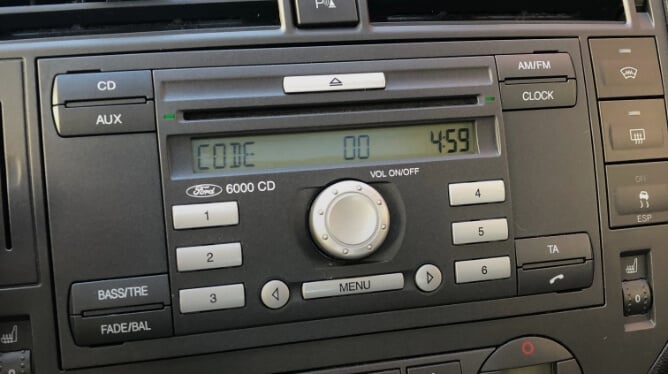
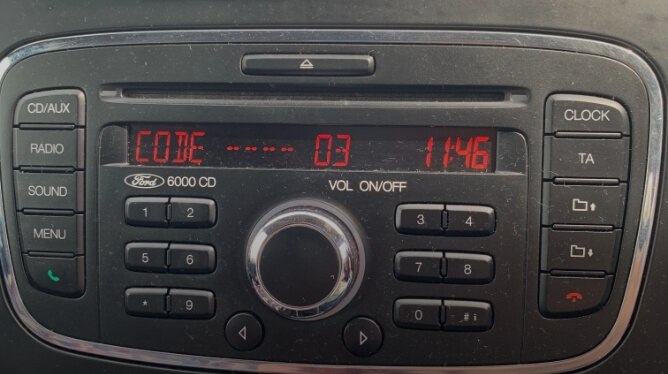
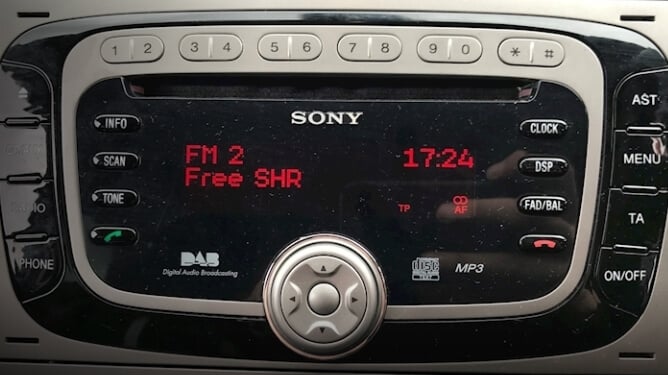
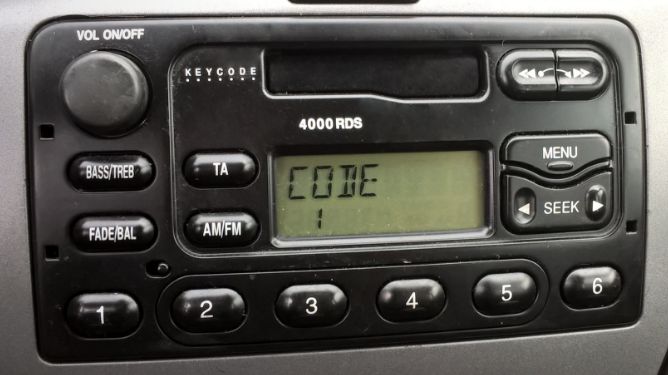
Ford Mondeo radio code generator
Recover the original code of your Mondeo stereo quickly and efficiently.

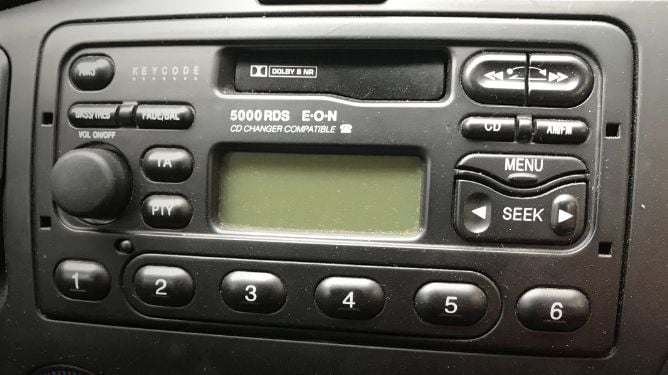
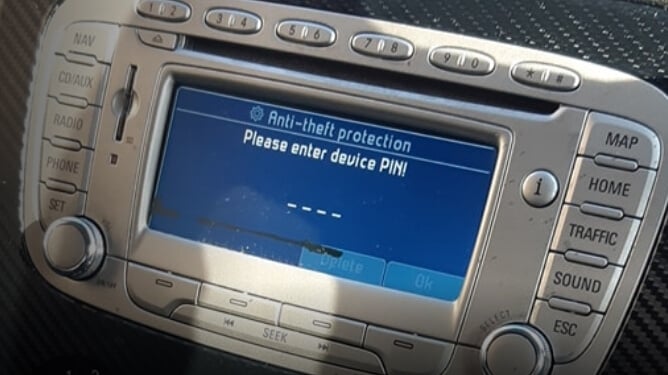
Calculate the original radio key code for your Ford Mondeo by providing the serial number you can find on the radio screen or label. It works for any model in Mondeo cars such as 6000 CD (2004 - 2007), Sony (2005 - 2007), Ford Navigation (2008 - 2011), 4000 RDS, 5000 RDS (1999 - 2002), etc. All the codes generated are 100% genuine and working.
The Mondeo has been produced in several generations, each fitted with different stereo units. Early models (MK1 and MK2, 1993 - 2000) typically carry 4000 or 5000 RDS cassette radios with an M-series serial on the rear label. The MK3 (2000 - 2007) introduced the popular 6000 CD unit, while the MK4 (2007 - 2014) moved to Sony and Blaupunkt Travelpilot navigation systems. Regardless of the generation, the code recovery process starts with the serial number.
If you need any help to retrieve your code, find us on live chat or by email. Our team is very responsive and will be glad to guide you through the process.
How to find your Mondeo radio serial number
The serial number is the key to calculating your 4-digit code. Here's how to locate it depending on your radio model.

On-screen display (2004 and newer)
If your Mondeo has a 6000 CD or Sony radio, you can display the serial number directly on screen without removing the unit. Turn on the stereo and press and hold buttons 1 and 6 together for about 20 seconds. Several codes will appear in sequence — the serial is the last one, starting with the letter V (e.g. V120290) or with SO for Sony units (e.g. SOCX1AV123456).
For 4500 RDS EON models, press buttons 2 and 6 instead.
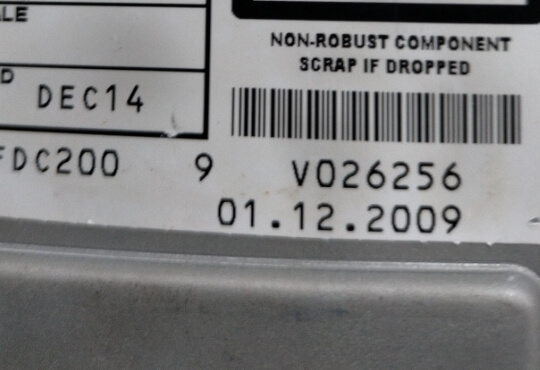
From the unit label (all models)
Any Ford Mondeo radio has a serial number printed on a label attached to the top or side of the unit. To access it, you need to remove the radio from the dashboard using extraction keys. Insert the four keys into the release holes on each corner of the radio faceplate, apply gentle outward pressure and pull. Once the unit is out, look for a barcode label with a number starting with V, M, BP or C7.
This is the only method for older Mondeo radios (MK1, MK2 and early MK3 models) and for Travelpilot navigation units.
How to enter your Mondeo radio code
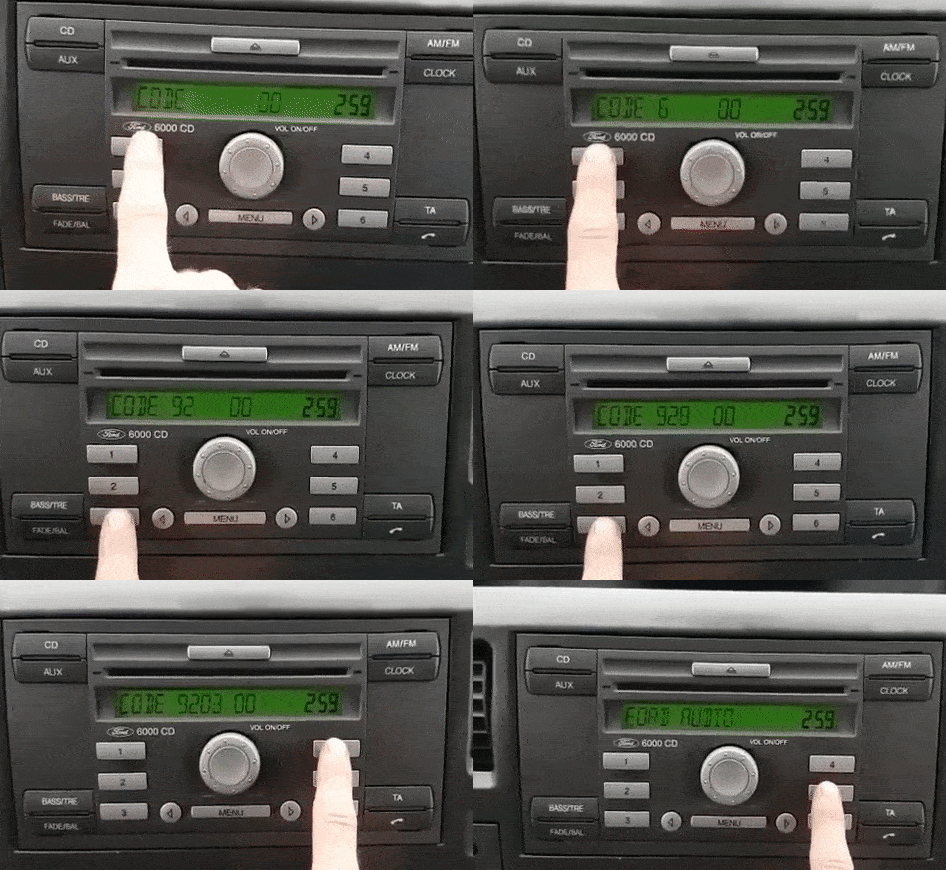
- Turn your Mondeo radio ON and make sure you see CODE or ENTER CODE on the display.
- Press button 1 repeatedly until the first digit of your code appears.
- Do the same with buttons 2, 3 and 4 for the remaining digits.
- Check that the full code on screen matches the one you received, then press button 5 to confirm.
- If you have a Sony unit, press the * (asterisk) button to confirm instead of button 5.
Troubleshooting
Common issues when entering the code on your Ford Mondeo radio.

My radio says LOCKED
After too many wrong code entries, your radio will display LOCKED or LOCKED 10. Press and hold button 6 for about ten seconds — in most cases this resets the lock and gives you three more attempts. If the screen shows LOCKED 13, the unit has entered a second-level lock that can only be resolved by a dealer or a physical unlocking service.
My radio displays WAIT
The WAIT message appears after an incorrect code entry as an anti-theft measure. Simply leave the radio turned on for 30 minutes without pressing any buttons. Once the timer expires, the display will return to CODE and you can try again. Turning the radio off during the wait will restart the countdown.
Frequent questions about Mondeo radio codes
Answers to the most common questions we receive about Ford Mondeo radios.
 4.8 — 69 reviews
Rating and reviews
Read the reviews that have left the customers and visitors of this page.


Perfect worked instantly
Give me my money back! Its incorrect! Scammers
Super einfach,schnell
Brilliant!. Correct code and instant delivery.
Instant code worked
it works!!! thanx
Nice and fast little on the expensive side though
Hallo ich brauch code fur Ford mondeo mk4 2013 Navigation Bitte BS7T18K931EK
Dovolen sam blagodarenie na vas si otkrih koda
???? instant ???? no probs from start to finish took less than 60 secs???? thanx guys
Conseguir el código pin
kreeg een code die niet werkte.daarna via de chat contact gezocht en daar kreeg ik geen reactie op.via een andere site (decodemyradio) was het in 5 minuten geregeld
Didnt get the code after I paid!!!
its ok, working
Brilliant service, got the code within 2 seconds, and cheap ????, thanks guys
Excellent service.
Can't fault it especially the video link on how to get the serial number quick an easy can't complain
helemaal top bedankt
Jebe vam 0 a 9 na radiu niesu
Nu este bun codul pin
Vše proběhlo v pořádku :-) rádio už hraje.
Platio sam za kod ali mi nitko nije odgovorio
Nice,generate and work instantly
so easy to use. thank you so much
Code 1998 does not work
Five Dollars for working code, satisfied with the service!
works perfectly thank you very much easy to follow and correct code 1st time
Fast code! Works
Prima site , code werkt prima
absolutely top notch
accurate in 100%
Done in 60 seconds! Lifesaver! Can not recommend enough!
Super geholpen
I received the code very easily and instantl